
Your desktop AI
Nani’s connector talks to the open app and company on your computer. Keep bookkeeping in a dedicated AI workspace with no unrelated connectors or web access.
Your books. Your AI. Your say.
Ask about your business in plain English. Get suggested categories and a reason behind each one. Keep the AI you choose, on your own account.
AI is optional. Nani’s bookkeeping works without it. Provider subscriptions and API charges are separate.
Three ways to connect
Connect Claude Desktop, use a compatible ChatGPT Work or Codex connection, or run a model through Nani with your own API key.
Prefer a model on your own computer? Nani includes presets for Ollama and LM Studio, with a check to confirm where the model runs.
Read the connection guide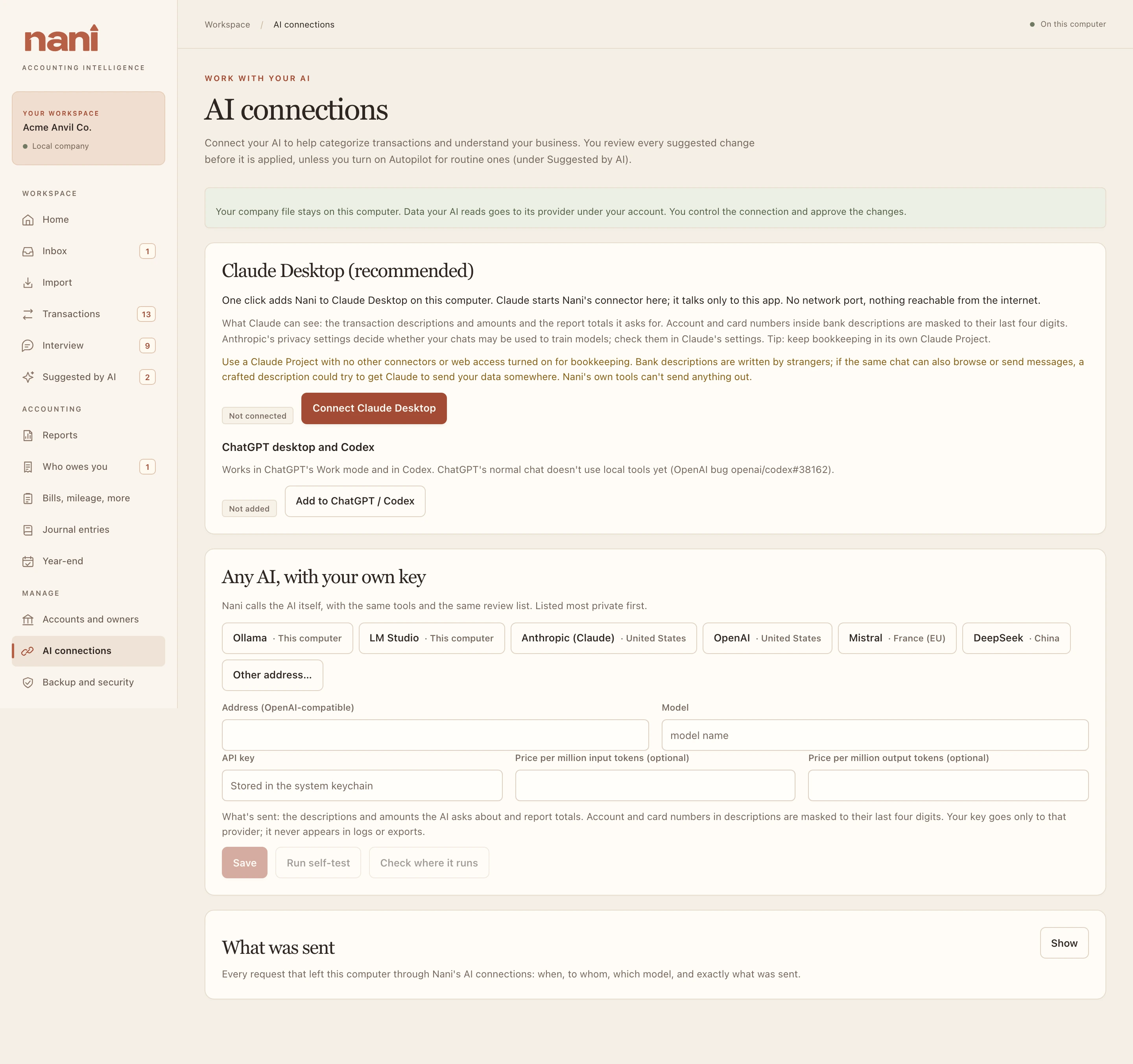
Nani’s connector talks to the open app and company on your computer. Keep bookkeeping in a dedicated AI workspace with no unrelated connectors or web access.
Choose a supported provider or a compatible address. API keys stay in your computer’s keychain. Run a self-test before using a model for bookkeeping.
For runs inside Nani, set a token cap. Add your provider’s prices to see estimates and set a dollar cap. Nani stops before a request would cross the cap.
Suggestions you can inspect
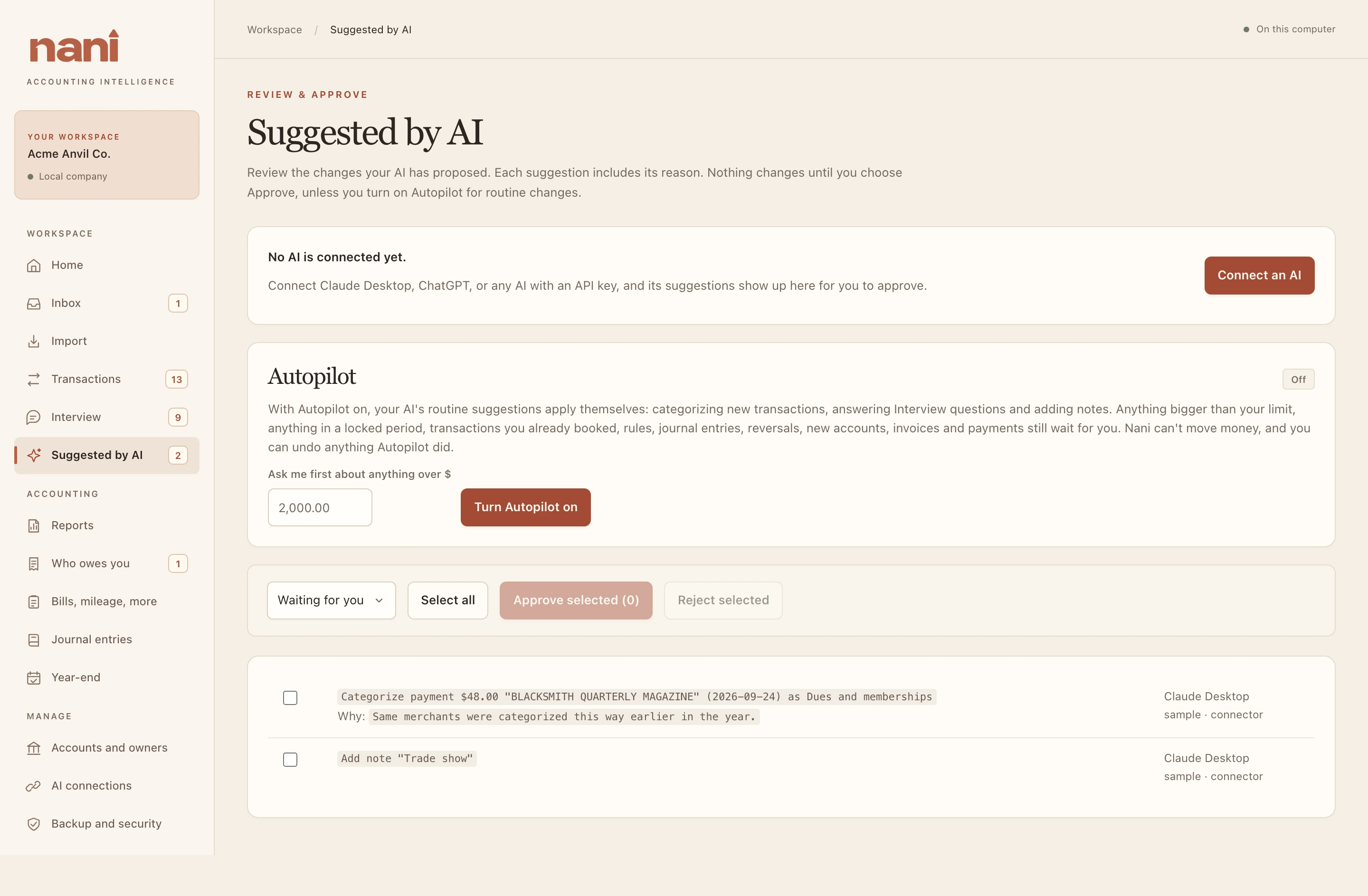
By default, each proposed change waits in Suggested by AI. See what would change, why it was suggested and who suggested it. Approve or reject it.
Nani computes report totals itself. The AI can propose categories, rules, notes, journal entries and more. Its Nani tools cannot move money, delete records, export files, change settings or turn on Autopilot.
Optional Autopilot
Turn on Autopilot for routine categorization, Interview answers without new rules, and CPA notes. You set the amount above which Nani must ask first.
Rules, journal entries, already-booked transactions and other consequential changes still wait for your review. See What Autopilot did and undo eligible changes individually or together. Autopilot starts off; only you can turn it on.
Understand the controlsA clear boundary
A hosted AI receives the descriptions, amounts, names and report details it requests through Nani’s tools, under your account and that provider’s policies. Your books are local; a hosted AI conversation is not.
A useful place to start
Start with a question about the books. Review the answer against Nani’s reports, and use your CPA’s judgment for tax and accounting decisions.
Find your Nani