
Import statements
The Inbox is the easy way. Import does the same job directly: choose one or several files with Choose statement files….
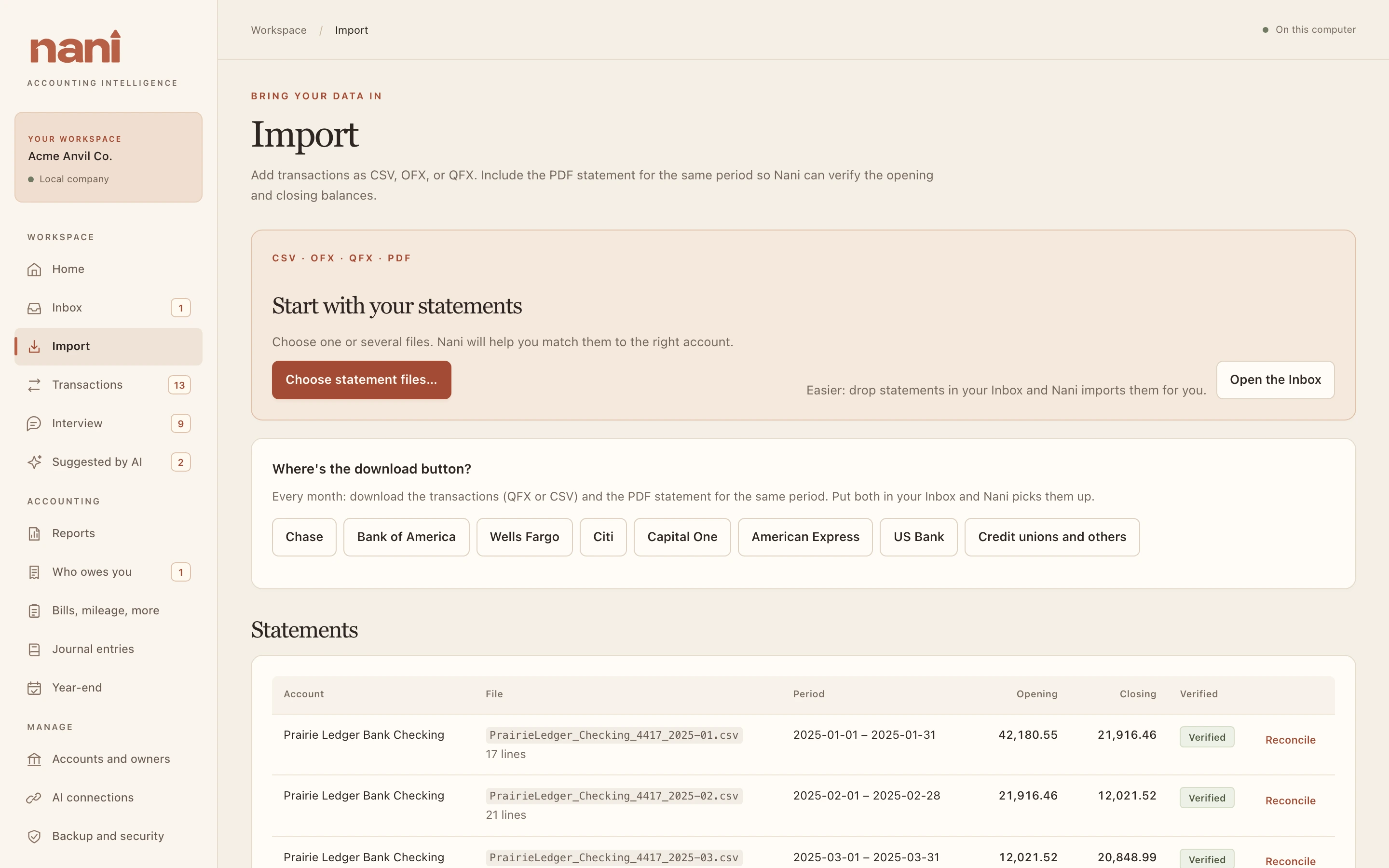
- CSV, QFX and OFX bring in transactions. Nani finds the date, description and amount columns itself. If it doesn't already know the account (from the file, or from four digits in the file name), it asks once and remembers.
- PDF statements never bring in transactions; they check them. Nani reads the opening and closing balance and the period, and you choose the imported statement they belong to.
- Each import also keeps the file with your documents, matches transfers, and runs automatic categorizing.
Where's the download button?
Every month, download the transactions (QFX or CSV) and the PDF statement for the same period. Choose your bank under Where's the download button? for where to find both: Chase, Bank of America, Wells Fargo, Citi, Capital One, American Express, US Bank, and credit unions and others.
Duplicates
- The same file imported twice into the same account is refused.
- Overlapping downloads are fine. Lines already in the books are skipped, even when the same month arrives once as a QFX and once as a CSV with the description worded a little differently.
- Two genuinely identical purchases on one day both count.