
At the top
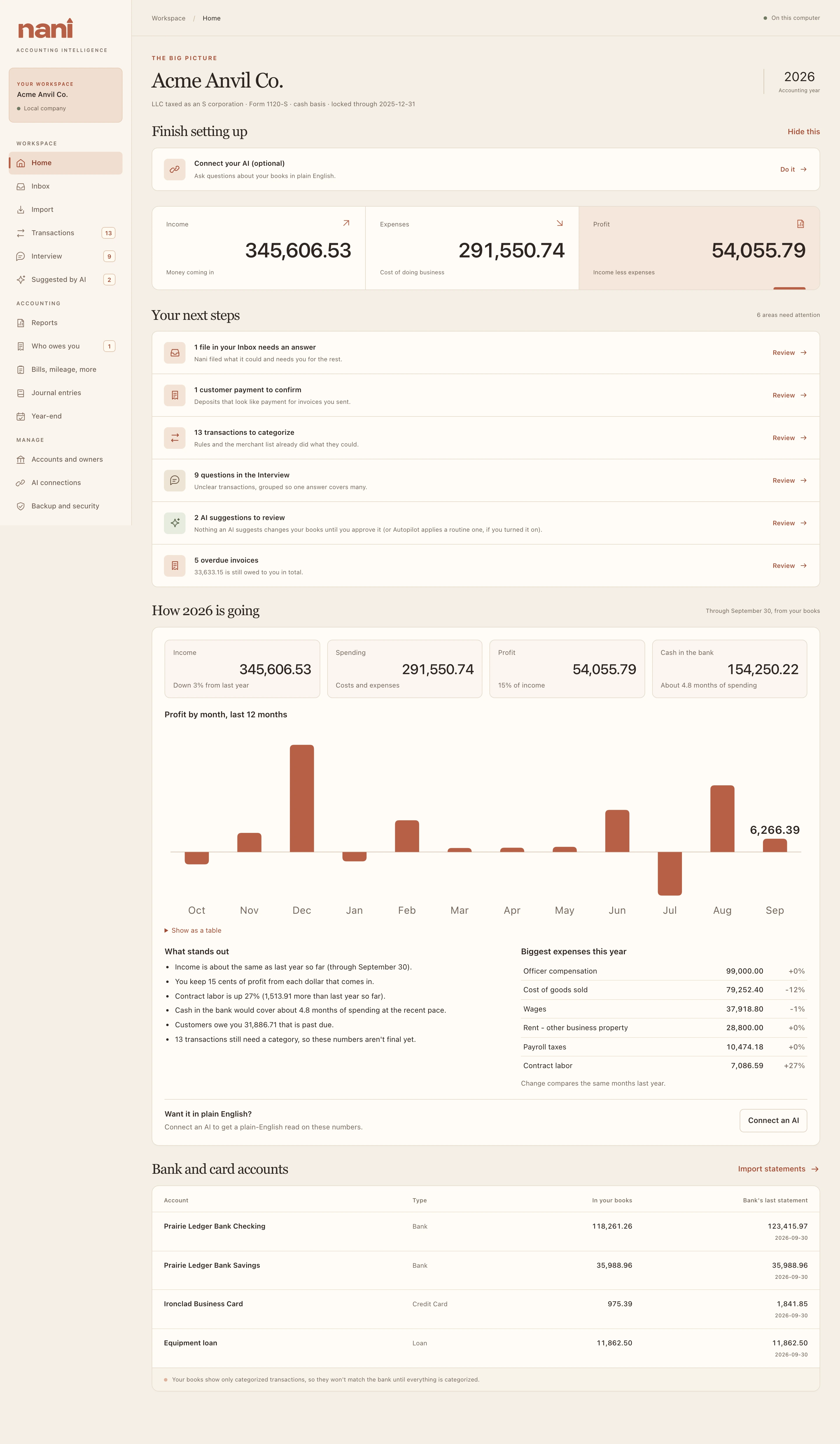
Your company name, its kind of business and tax return, and the accounting year shown (the latest year with bank activity; in January that's usually last year). Three tiles show that year's income, expenses and profit.
Your next steps
Everything waiting for you, each with a Review button: files in the Inbox that need an answer, customer payments to confirm, transactions to categorize, Interview questions, AI suggestions to review, and overdue invoices. When nothing is waiting you'll see You're all caught up.
How the year is going
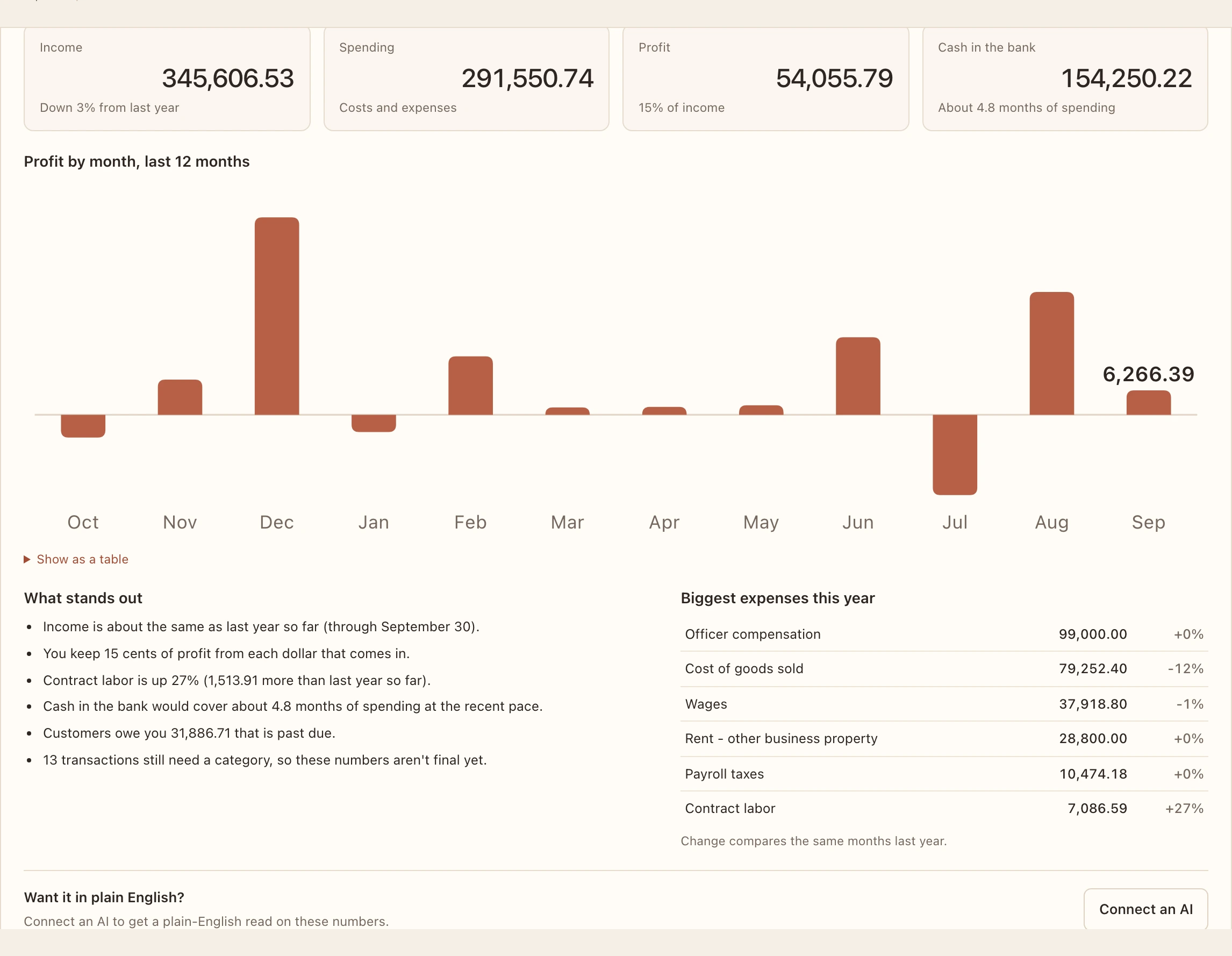
A plain-English snapshot from January 1 through your latest transaction, compared with the same dates last year: income, spending, profit, cash in the bank and how many months of spending it covers, profit by month for the last 12 months, what stands out, and your biggest expenses.
Bank and card accounts
Each account's balance in your books next to the bank's last statement balance. Your books only include categorized transactions, so they match the bank once everything is categorized.